 Instructions

Do you have tons of photos in your camera digital memory card?
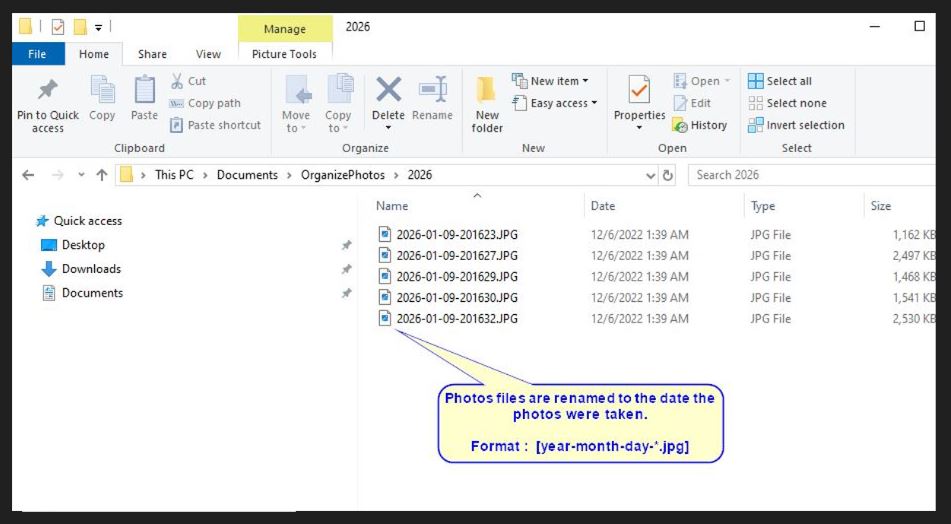
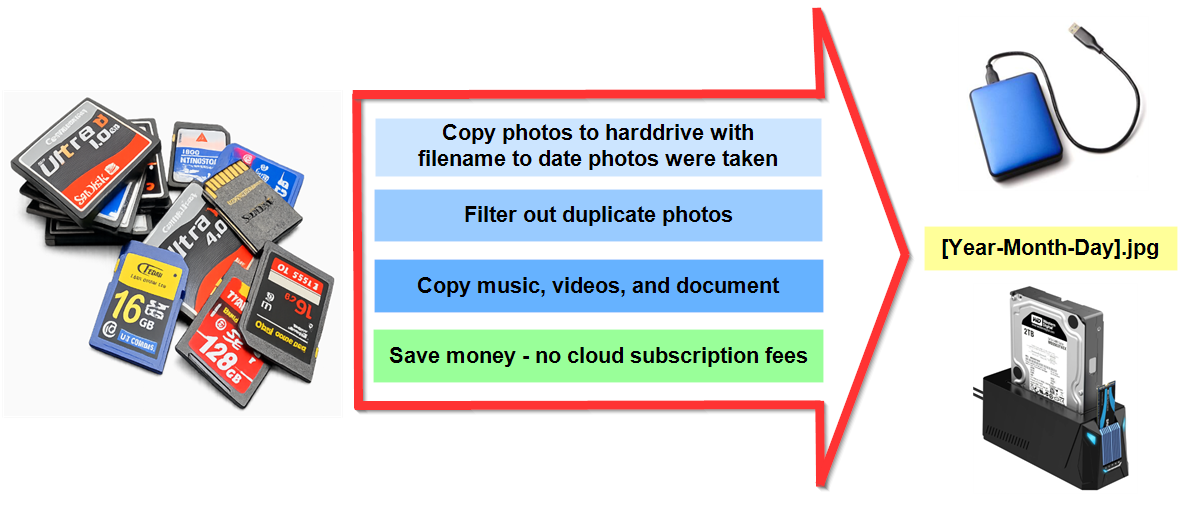
- Automatically organize photo filename into the date the photos were taken
- Remove duplicate photos
- Consolidate your video, audio, and document files into customizable folder name
- For Windows Version
- One-Time Purchase
Instruction Download and Install
- Click download button
- Click "SetupOrganizePhotosTrial.msi" from your download folder
- Open OrganizePhotosTrial.exe from your desktop or "C:\Program Files (x86)\Organize Photos\Organize Photos Trial\"
- Watch How To Install Demo
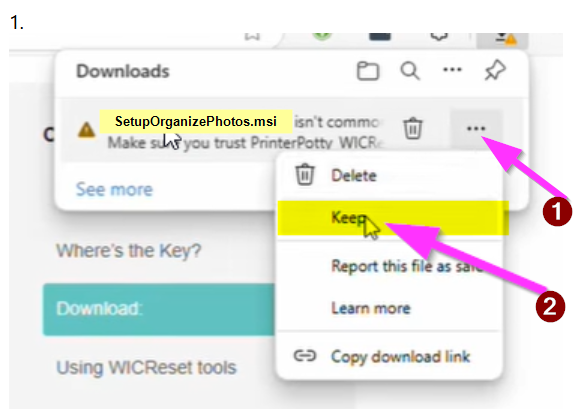
1. Keep
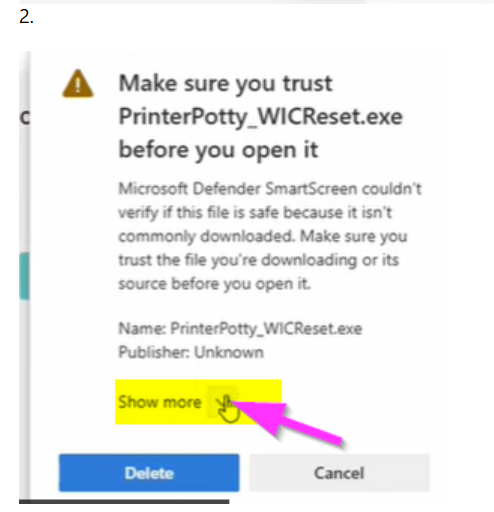
2. Show More
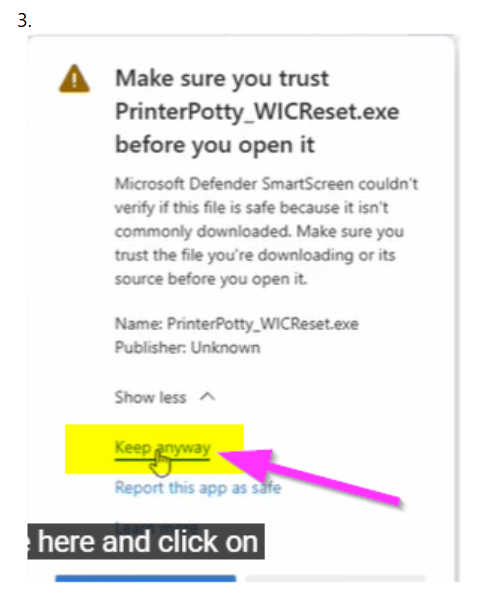
3. Keep Anyway
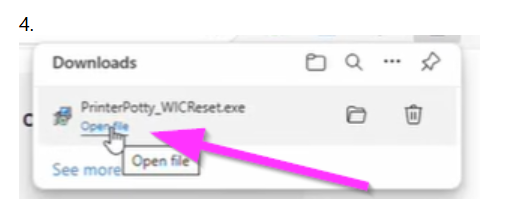
4. Open File
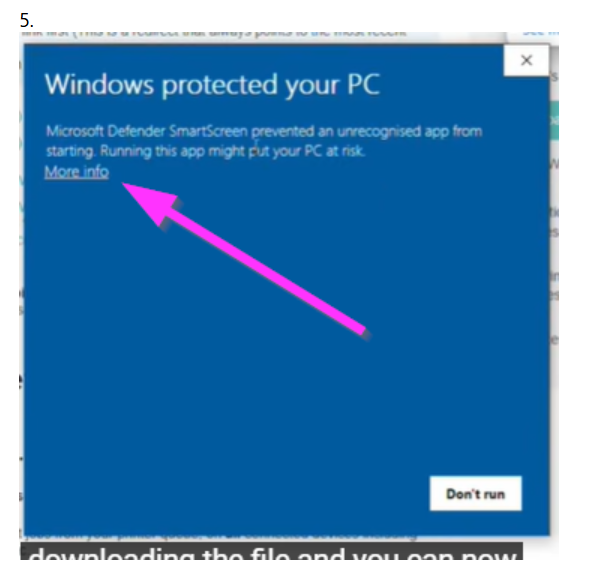
5. More Info
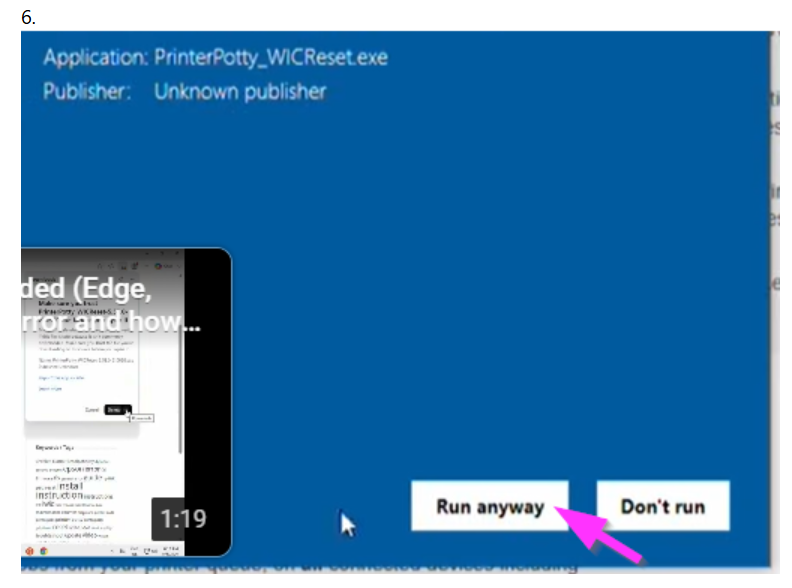
6. Run Anyway
Instructions - Organize Your Photos From Your Digital Memory Card / Multiple Folders
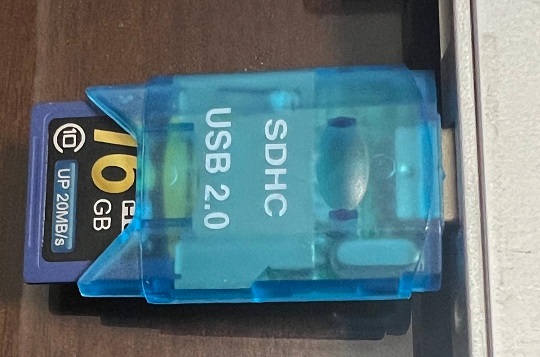
Step 1: Insert the flash memory drive or usb drive.
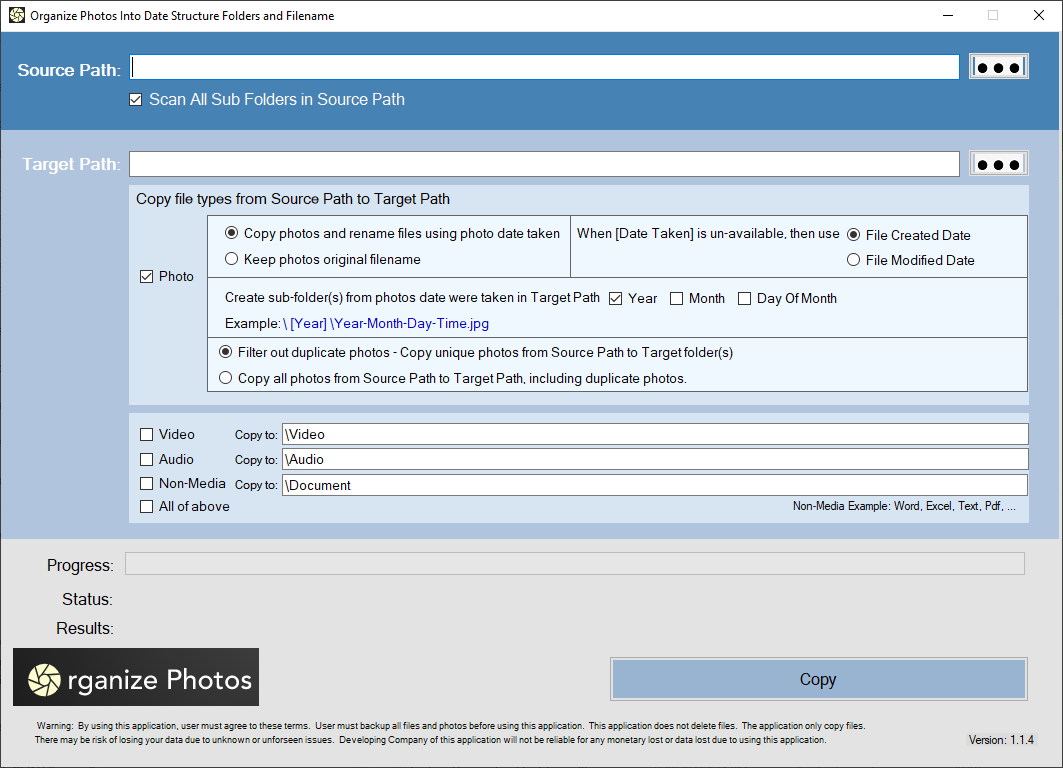
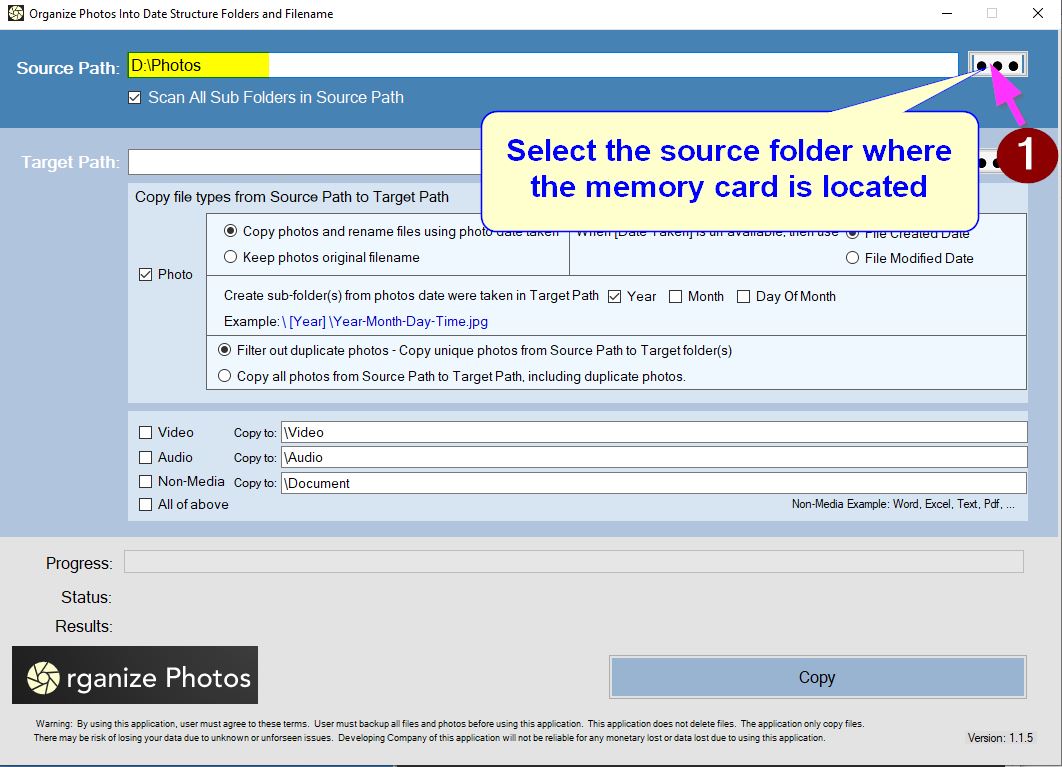
Step 2: Select the Source photos where the photos are located.
Step 3: Select the Target photos where the photos will be copied.
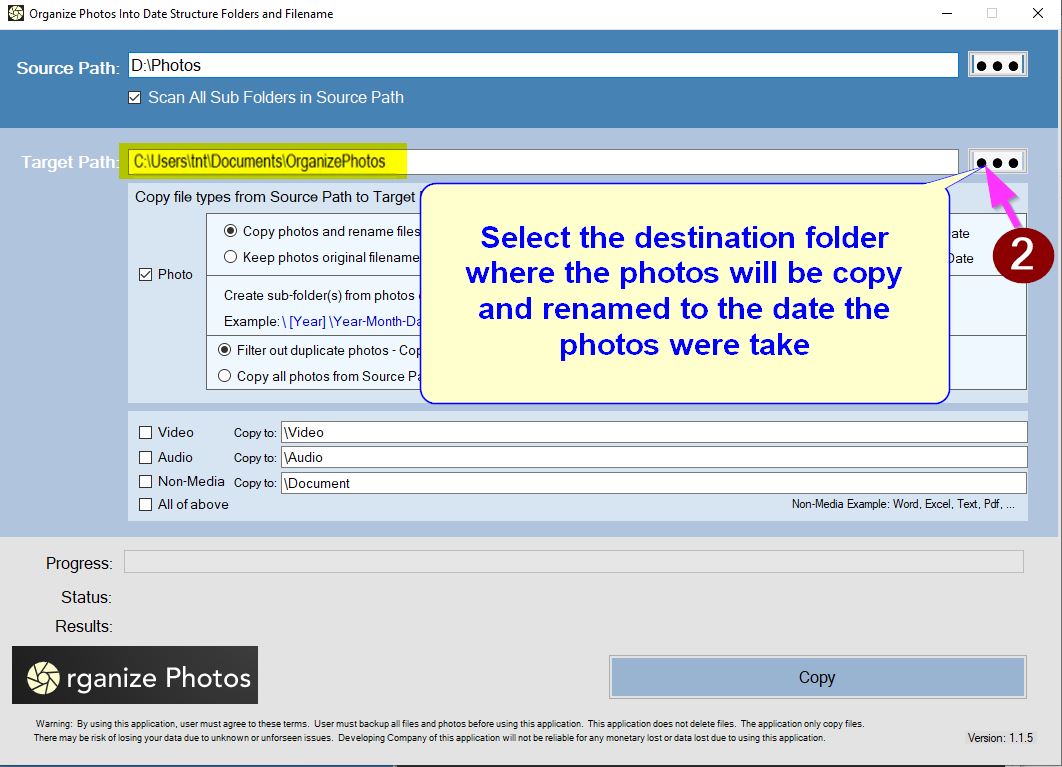
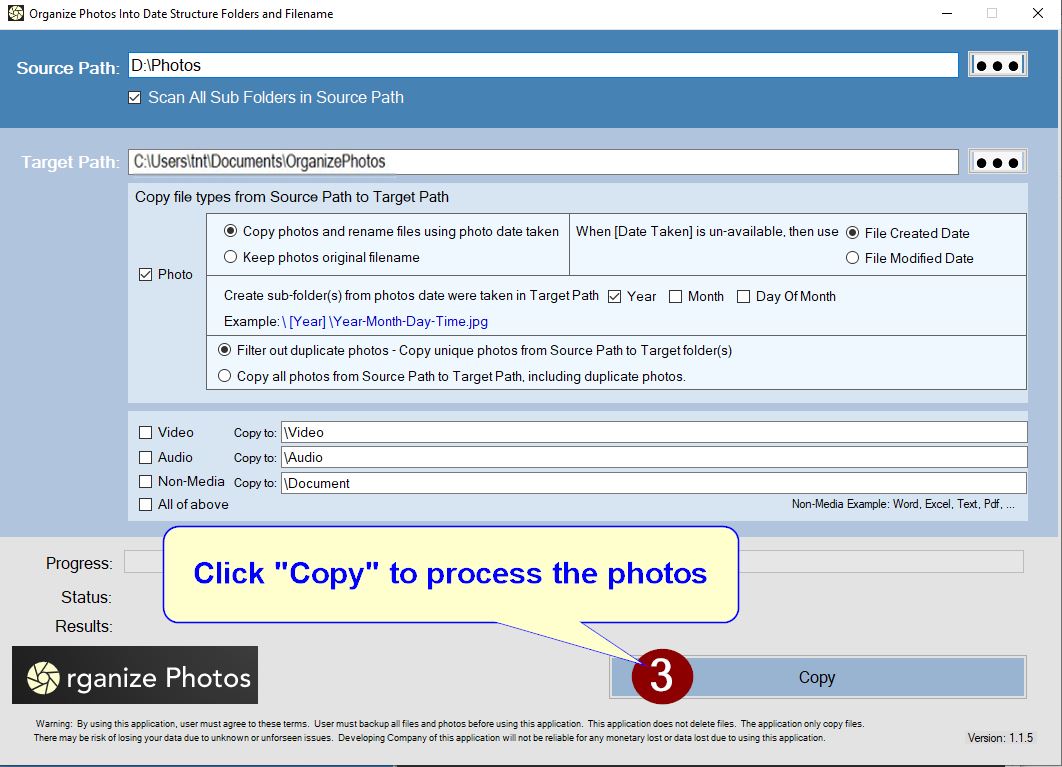
Step 4: Click "Copy" button to process the photos to the Target folder.
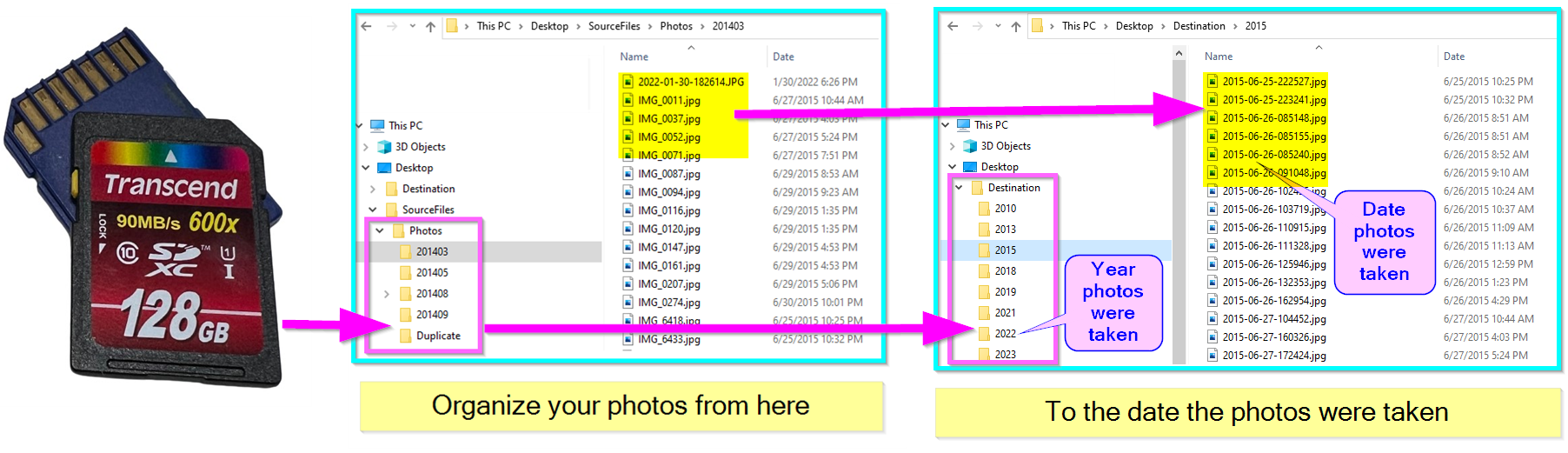
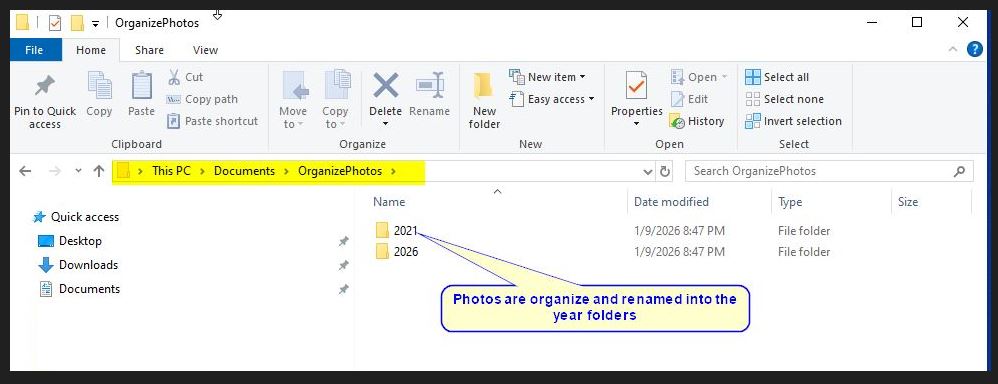
Step 5: The destination folders will be named in Year the photos were taken.
Step 6: The photo files will be named to the date the photos were taken.